Get the new DISH Voice Remote for a simpler way to find what to watch.
Se habla Español.
DISH Voice Remote: New Companion to the Hopper 3
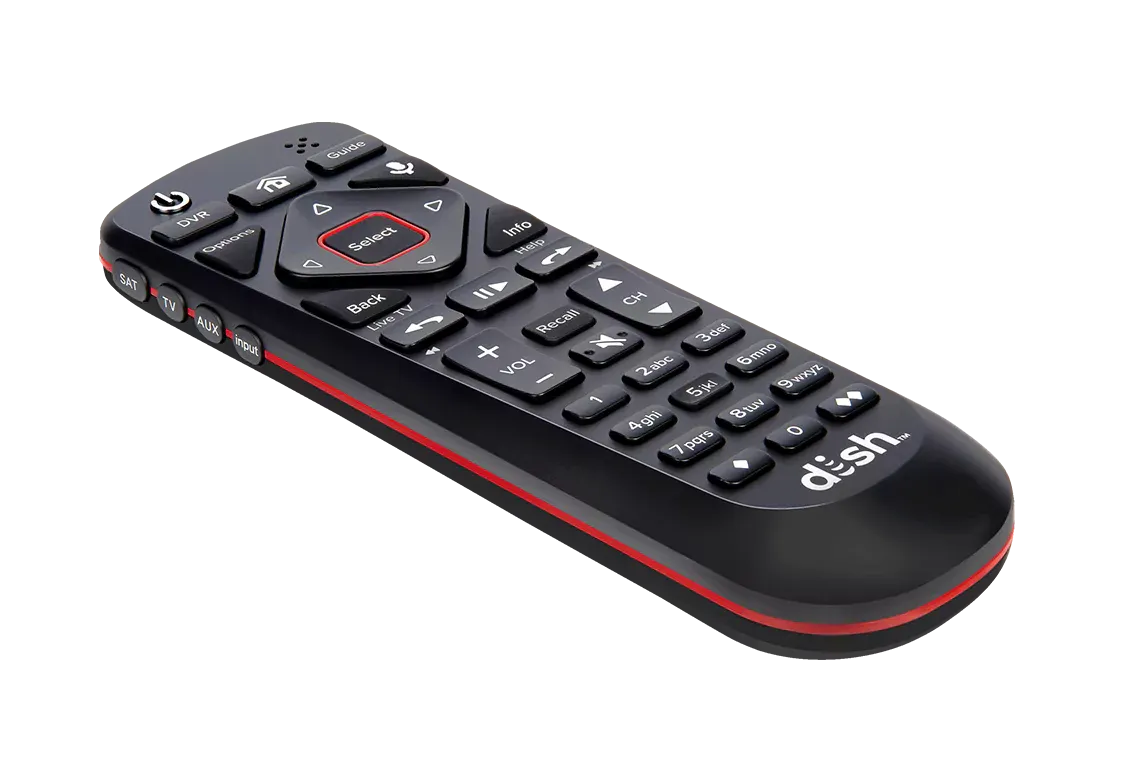
The DISH® Voice Remote makes watching TV with your Hopper® simpler than ever. Equipped with the latest Otto™ technology, the new remote helps you find your favorite programming with the sound of your voice and navigate faster with a new, simplified button layout. Plus, the remote comes with features that relieve common frustrations with using a remote control.
Find Shows Just by Speaking into the Remote
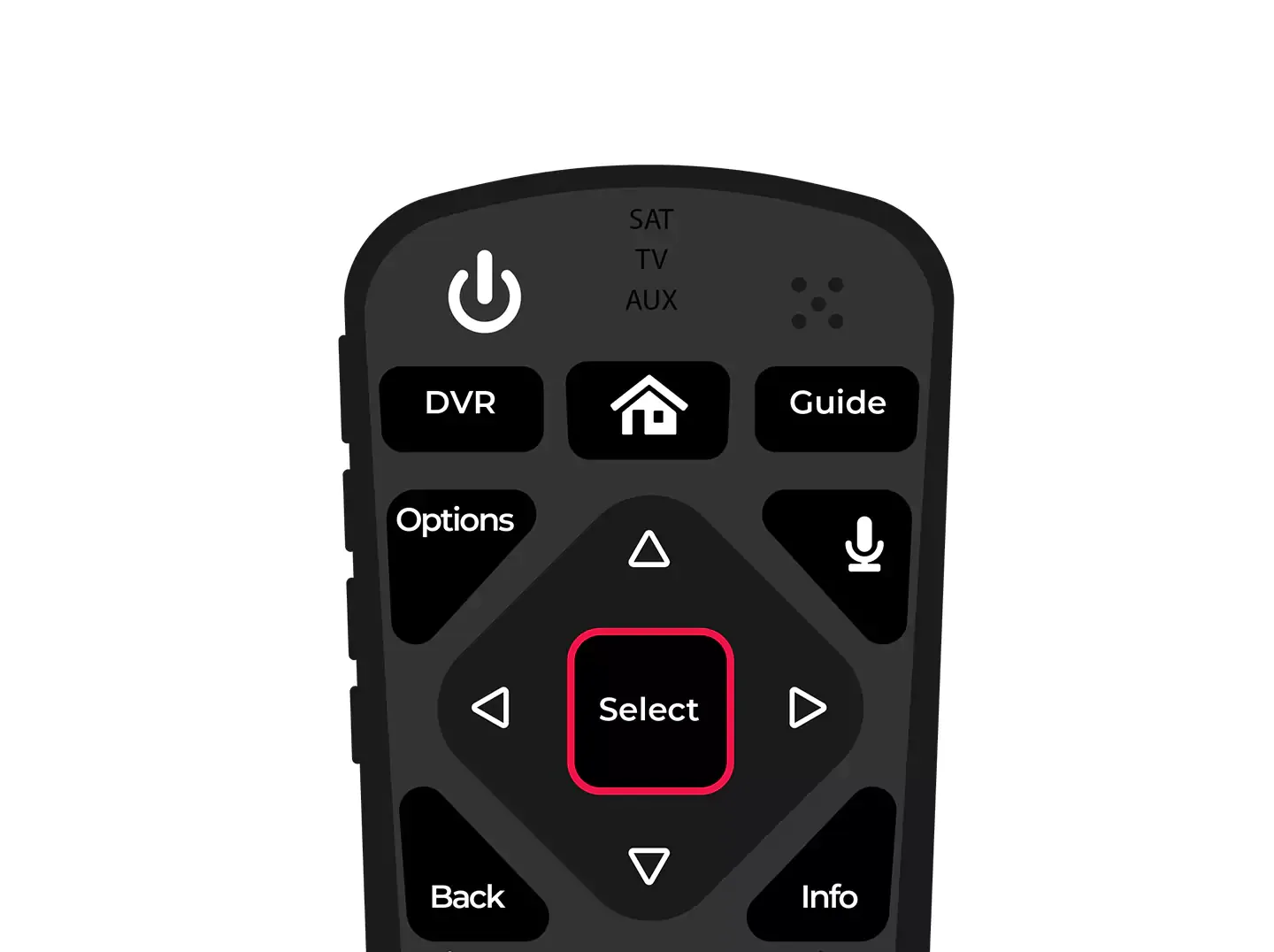
The Voice Command feature of DISH’s new smart remote lets you explore channels or go right to your favorite programs nearly hands-free. Just press the microphone button and speak your command, and the Hopper serves up what you want to watch. The remote responds to a variety of commands: you can say the exact title of a show, a genre, an actor’s name, or even a Hopper menu. See sample commands in the FAQ below.
Navigate More Easily with the New Layout
If you like the tactile experience of using a remote, the new smart remote from DISH also comes with a simpler layout and button design to help you navigate more easily. The new design simplifies navigation by reducing the number of buttons, increasing button and text size, and adding a touchpad that responds to movements like swiping, scrolling, and tapping.
2 New User-Friendly Functions
In addition to a sleeker design, this DISH remote comes with two new features that make it even easier to use: One is the backlighting button, which you can press to see the remote better without getting up to turn the lights on; the second is the numeric keypad, which you can toggle on and off when you want to type numbers directly or go back to the touchpad.
DISH Voice Remote Relieves Common Frustrations
Finds Itself!
The average TV viewer spends two weeks of their life looking for the remote. Get some of your time back with the “locate remote” function. All you have to do is press a button under the front panel of your Hopper, and your remote beeps and flashes lights to help you find it.
Works as a Universal Remote
The newest DISH remote is so smart, it can control not only the Hopper 3 but also your TV, DVR, DVD player, and more. When you pair it with more devices, you can cut down on clutter in the living room and stop switching remotes just to change the channel or volume.
For Even More Voice Control, Pair Hopper 3 with Amazon Alexa
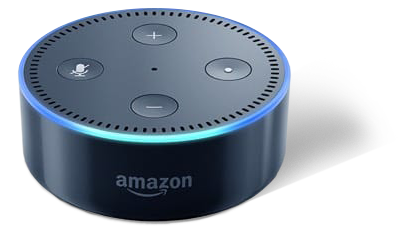
Take voice control even further. Pair your Hopper 3® with the Amazon® Echo Dot to find TV shows, movies, networks, and more. You can give Amazon Alexa similar voice commands to what you’d give your DISH remote, like “Alexa, show me action movies” or “Alexa, go to HGTV.” Now, watching TV can be part of your larger strategy for running a high-tech home with less hassle.
Alexa integration requires internet-connected Hopper®, Joey®, Wally™, and any Amazon Alexa-enabled device. Amazon, Alexa, and all related logos are trademarks of Amazon.com, Inc., or its affiliates
DISH Voice Remote FAQs
How do I pair the Voice Remote to my Hopper?
Press the remote’s home button (house icon) twice.
Select Settings, then Remote Control.
Select TV, then TV Pairing Wizard.
Follow the prompts to configure the Otto™ software.
You’re done!
How do I use the Voice Remote as a universal controller?
Press the home button twice.
Select Settings, then Remote Control.
Select Auxilliary, then Pairing Wizard.
Follow the prompts to link your Voice Remote to another device.
You’re done!
How do I use the Voice command feature?
Press and hold the voice button (microphone icon) on the right-side edge of the remote.
Say the name of the TV show or movie you want to watch, or try saying the name of a sport, a sports team, an actor, or another function on your Hopper.
Sample voice commands for your DISH Voice Remote:
“Comedies”
“Bob’s Burgers”
“Action movies with Vin Diesel”
“NBC News”
“Watch Football”
“New York Giants”
“Go to DVR”
“Guide”
3. Release the voice button. From here, navigate manually or use Voice Command again to give your next instruction.
4. You’re done!
How do I use the Remote Finder function?
Open the front panel of your Hopper.
Press the Locate Remote button. Your DISH Voice Remote will emit loud beeping noises and flashing lights.
When you find your smart remote, press any button to stop the beeping and flashing lights.
You’re done!
How do I pair my Hopper 3 with Alexa?
Download the Amazon Alexa App and open it. In the side menu, tap on Music, Video & Books. Tap TV, then DISH TV.
Tap Enable Skill. For the next few steps, leave the Alexa App open and make sure your Hopper is connected to the Internet.
On your DISH Voice Remote, press the home button twice. Select Settings, then Amazon Alexa. Select Get Code to see the Activation Code appear on your TV screen.
Return to the Alexa App, enter the code displayed on your TV screen, and then tap Activate. When Alexa has successfully paired, your TV will display a confirmation message and the Alexa App will start searching for discoverable devices.
In the Alexa App, select your Hopper device and tap Continue. Then select your Alexa device and tap Link Devices.
You’re done!
Alexa integration requires internet-connected Hopper®, Joey®, Wally™, and any Amazon Alexa-enabled device. Amazon, Alexa, and all related logos are trademarks of Amazon.com, Inc., or its affiliates
Stay in the Loop
Find deals and get special offers now!
By providing your email address, you hereby consent to receiving emails from USDISH.com.